Learn to Install Wordpress in Linux Web Hosting 2021 Easily.
Why Wordpress ?
Wordpress is widely used CMS software to making Blogs, e-commerce stores & other websites with best Linux web Hosting.
How to Install Wordpress ?
Learn how to Install Wordpress for your Blog, Site with the help of best wordpress in 2021.
#To Install Wordpress we need a Very good & best wordpress hosting. BenuCloud’s Linux Web hosting is one of the best Wordpress hosting in 2021 with litespeed technology.
- First Goto BenuCloud to get Domain & Hosting account.
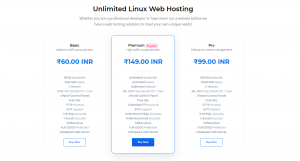
- Get any plan as per budget. Don’t Forgot we provide SSL Certificates without any cost.
- After Successful setup, go to cPanel and scroll down to Softaculous and click on Wordpress Icon.
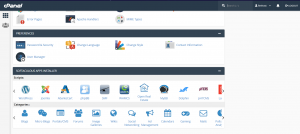
Softaculous is a popular auto-installer script. It allows you to easily install many web applications like WordPress in a few clicks. Hosting providers like BenuCloud web Services uses in their control panel.
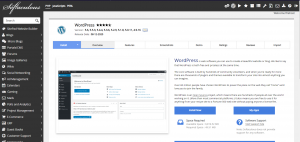
- After Clicking Wordpress Icon Softaculous Window appears, then Click on Install Now
.
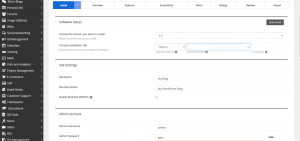
Installer will ask for where you want to install WordPress. You have to choose http:// or http://www. as protocol or
Select https:// or https://www. as protocol.
*We Provide free SSL with Every Plans.
After that, you need to choose on which domain where you want to install WordPress. Most of users install WordPress in their domain’s root directory, like example.com. In that case, you have to make sure that the ‘In Directory’ field remains blank.
- After Filling details carefully, Proceed to Install.
Your Wordpress Is Install Successfully.
Why BenuCloud ?
BenuCloud - A perfect Web hosting platform BenuCloud provides quality web hosting services and helps people easily get their websites online under very affordable budget. Our Linux Web hosting plans are reliable, scalable and affordable. We have a plan for every hosting need for blogs, e-commerce storefronts & custom websites. Our support is with you 24/7 always available.