How to Start/Boot Your VPS in SolusVM

If your VPS is down/offline, you can start it using SolusVM.


1.
Log in to your SolusVM Control Panel.

2. If you have multiple VPSs, select the appropriate one.
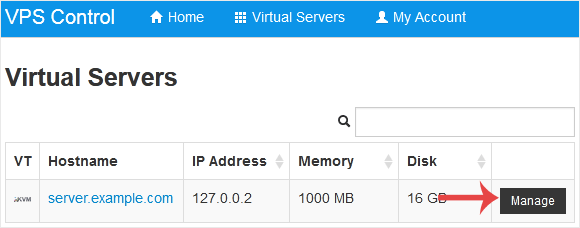
solusvm-select-vps.gif


3. Click on Boot.
solusvm-boot-start-vps.gif


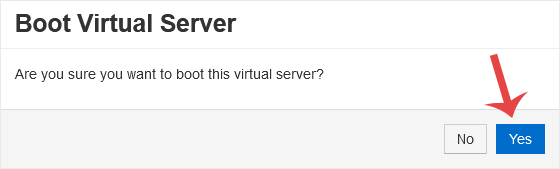
4. Click Yes to confirm.
solusvm-start-boot-confirmation.gif


It may take some time for the VPS to start.

  • 0 Uživatelům pomohlo
Byla tato odpověď nápomocná?

Související články

How to Forcefully or Gracefully Shut Down the VPS in SolusVM

You can shut down the VPS in two ways - forcefully or gracefully in SolusVM. How to Gracefully...

How to Access VPS via VNC in SolusVM

You can access your VPS via VNC in an emergency, such as when a firewall blocks your IP, the...

How to Reinstall OS Using SolusVM OS-Reinstaller

You can easily Install/Reinstall the operating system using SolusVM. However, note that this...

How to Manually Install/Reinstall an OS using SolusVM for a Customized Installation

SolusVM's automatic reinstall option does not allow you to modify or create a custom partition....

How to Turn APIC, ACPI, VNC, or PAE On or Off in SolusVM

SolusVM allows you to enable or disable VNC, PAE, APIC, and ACPI.1. Log in to your SolusVM...